> For the complete documentation index, see [llms.txt](https://help.bioinsight.illumina.com/llms.txt). Markdown versions of documentation pages are available by appending `.md` to page URLs; this page is available as [Markdown](https://help.bioinsight.illumina.com/icm/analyses/analysis-functionality/task-menu/biological-interpretation/correlation-engine-atlases.md).
# Correlation Engine atlases
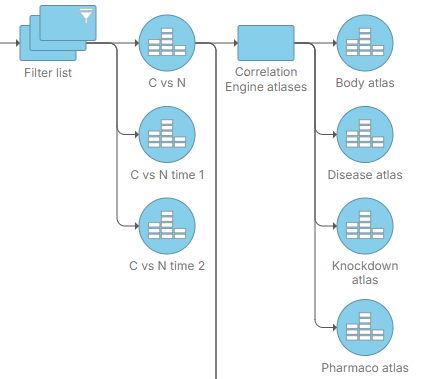
The **Correlation Engine atlases** task is a biological interpretation tool that queries your differential analysis results against a set of atlases, enabling biological insights across multiple contexts. In Connected Multiomics, the **Correlation Engine atlases** task supports four atlases:
* *Body atlas*: queries for tissue, cell type, single cell relevant to your genes.
* *Disease atlas*: queries for diseases, traits, conditions, and surrogate endpoints associated with a gene.
* *Knockdown atlas*: queries for genetic perturbations (knockdown, knockout, or overexpression) affecting your gene, and how.
* *Pharmaco atlas*: queries for compounds and treatments significantly correlated to a gene, sequence region, biogroup, or bioset.
## Invoking Correlation Engine atlases
The **Correlation Engine atlases** task can be invoked from a differential analysis data node or a filtered feature list (e.g., filtered differential analysis result).
* Select a differential analysis data node or a filtered feature list data node.
* Under **Biological interpretation** menu section, select **Correlation Engine atlases**.
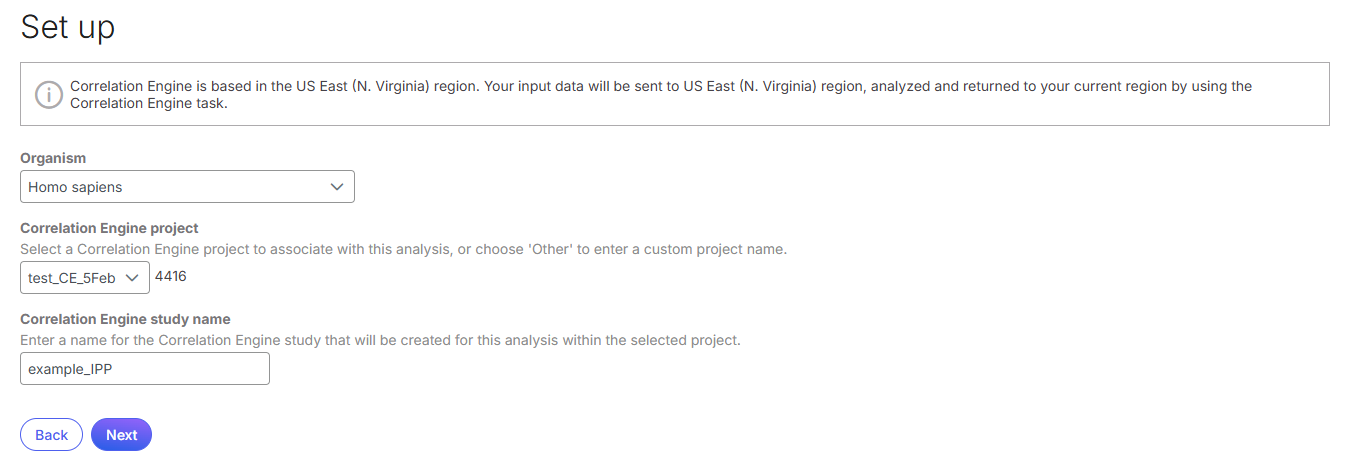
* Choose **Organism**, **Correlation Engine project**, and give a **name** to the Correlation Engine study, then click **Next**.
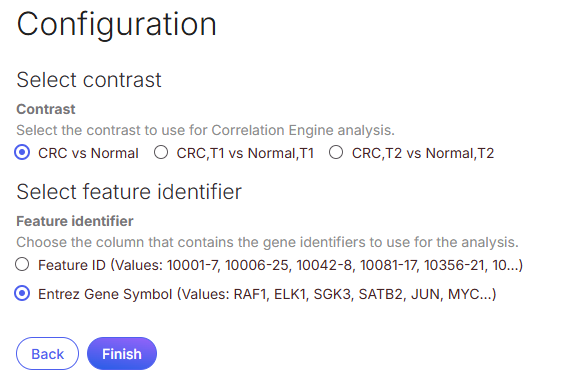
* Select a **Contrast** for the Correlation Engine analysis, choose a **feature identifier**, then click **Finish** to run the analysis.
## Correlation Engine atlases report
The Correlation Engine atlases task produces a task node and four data nodes - one for each atlas. Double-click on an atlas data node to view report.
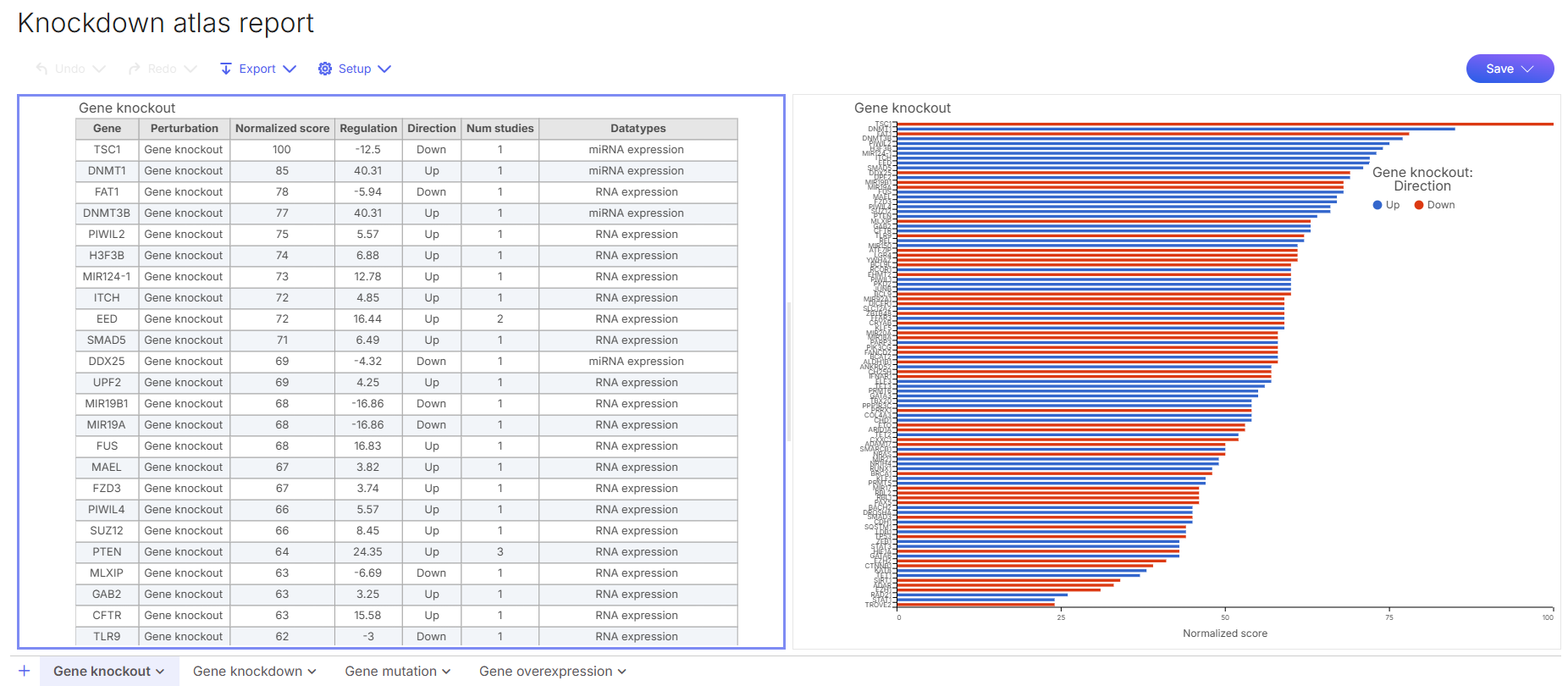
Atlas report opens into a data viewer with one or more result sheets, depending on the atlas. Each result sheet consists of a result table and a bar chart colored to reflect direction of regulation (blue for up, red for down). An example of knockdown atlas report is shown below, consisting of four result sheets, each for a different genetic perturbation.
## Reference
1. Kupershmidt I, Su QJ, Grewal A, Sundaresh S, Halperin I, Flynn J, et al. (2010) Ontology-Based Meta-Analysis of Global Collections of High-Throughput Public Data. PLoS ONE 5(9): e13066.
---
# Agent Instructions
This documentation is published with GitBook. GitBook is the documentation platform designed so that both humans and AI agents can read, navigate, and reason over technical content effectively. Learn more at gitbook.com.
## Querying This Documentation
If you need additional information that is not directly available in this page, you can query the documentation by asking a question.
Perform an HTTP GET request on the following URL with the `ask` and `goal` query parameters:
```
GET https://help.bioinsight.illumina.com/icm/analyses/analysis-functionality/task-menu/biological-interpretation/correlation-engine-atlases.md?ask=&goal=
```
`ask` is the immediate question: it should be specific, self-contained, and written in natural language.
`goal` is what the user is ultimately trying to achieve, the reason they need the answer. Sharing it helps GitBook give you a better, more relevant answer. A goal is most helpful when it describes the outcome the user wants rather than restating the question. For example, with `ask=how do I create an API token`, a goal like `automate deployments from our CI pipeline` lets GitBook tailor the answer to that use case.
The response will contain a direct answer to the question and relevant excerpts and sources from the documentation.
Use this mechanism when the answer is not explicitly present in the current page, you need clarification or additional context, or you want to retrieve related documentation sections.